Your SAP data.
Answered in plain English.
For Finance, Procurement, Operations, and HR teams who can't wait three days for an ABAP developer. Ask SAP a question, get a live answer — then schedule it, share it, or act on it.
One platform. Three ways to work with SAP.
Business users ask questions. Developers build tools. Admins govern everything. Each role gets exactly what they need — from the same deployment.
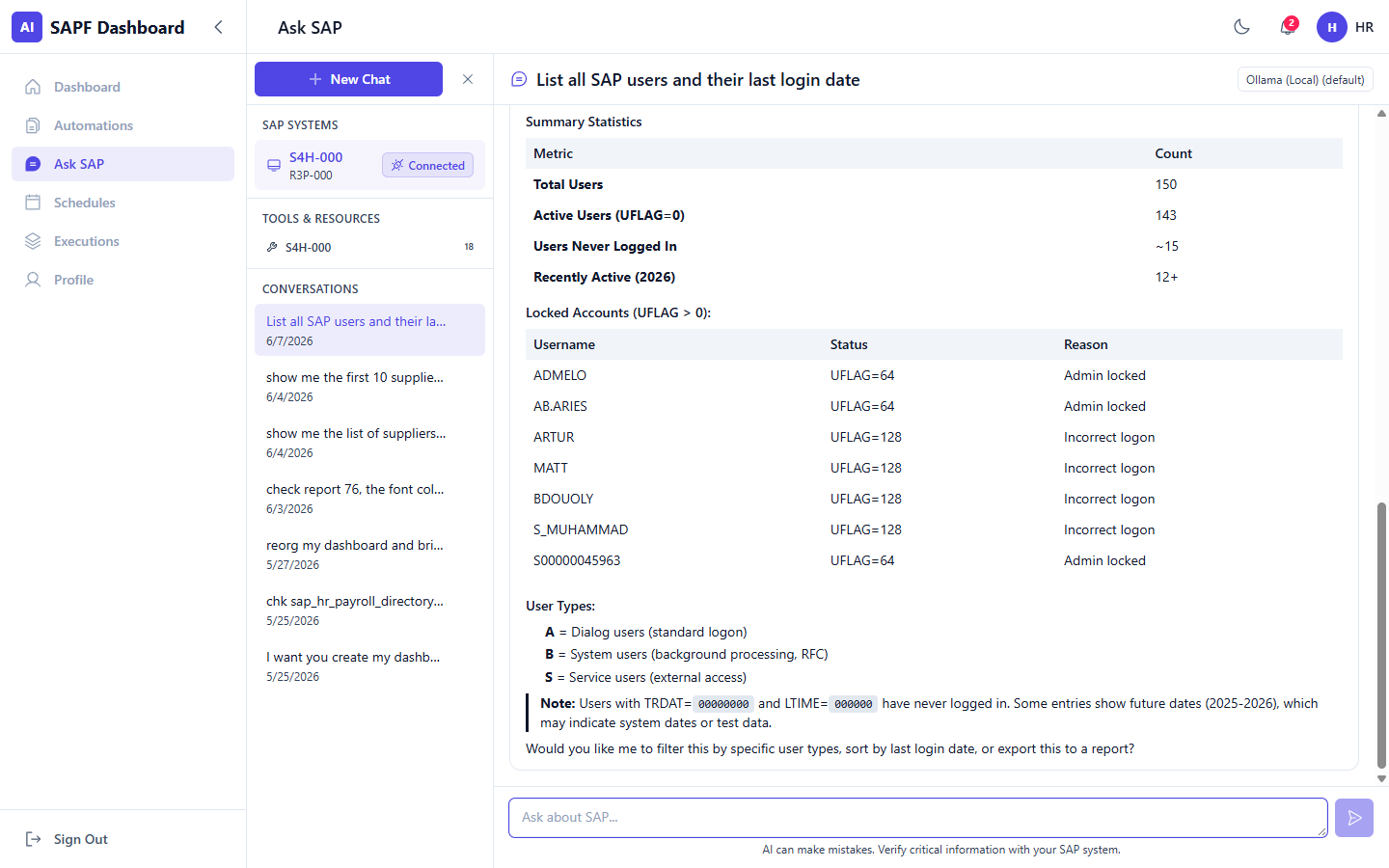
Ask SAP
Get answers from live SAP data without touching a transaction code.
- ✓ Type a question in plain language — AI queries your SAP system and returns a formatted result
- ✓ Set any result as a recurring scheduled report, delivered to your inbox automatically
- ✓ Approve purchase requisitions, post material documents, and execute SAP actions — all from the same conversation
Automations & Reports
Every report is a conversation — refine it, share it, verify it.
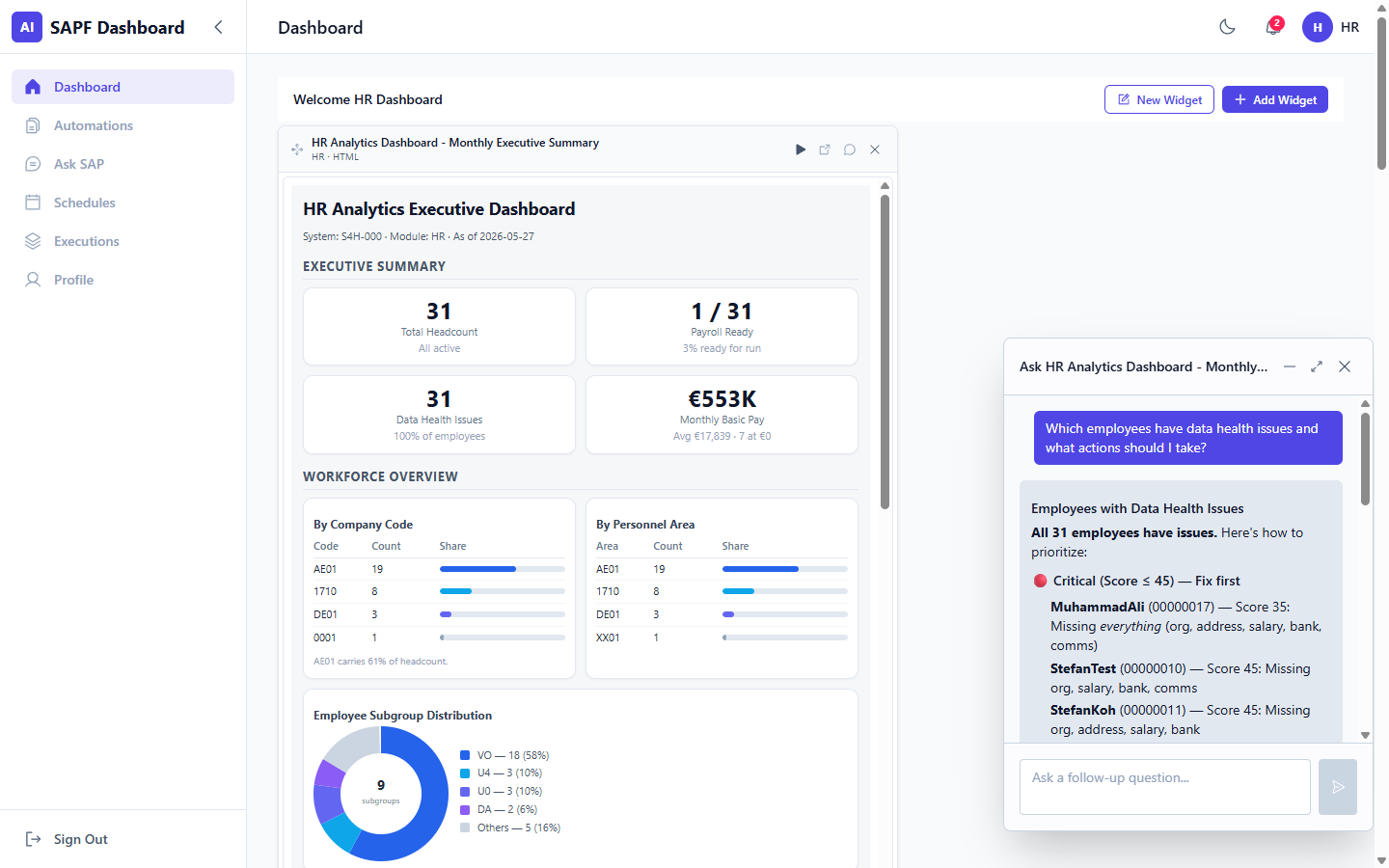
- ✓ Follow up on any result: filter, update, explain anomalies, or email it to a colleague in one message
- ✓ Peer review built in — colleagues verify results before they're trusted
- ✓ Full execution history so every output is traceable, not just delivered
Developer Console
Build SAP tools with AI. Deploy them to your whole organisation the same day.
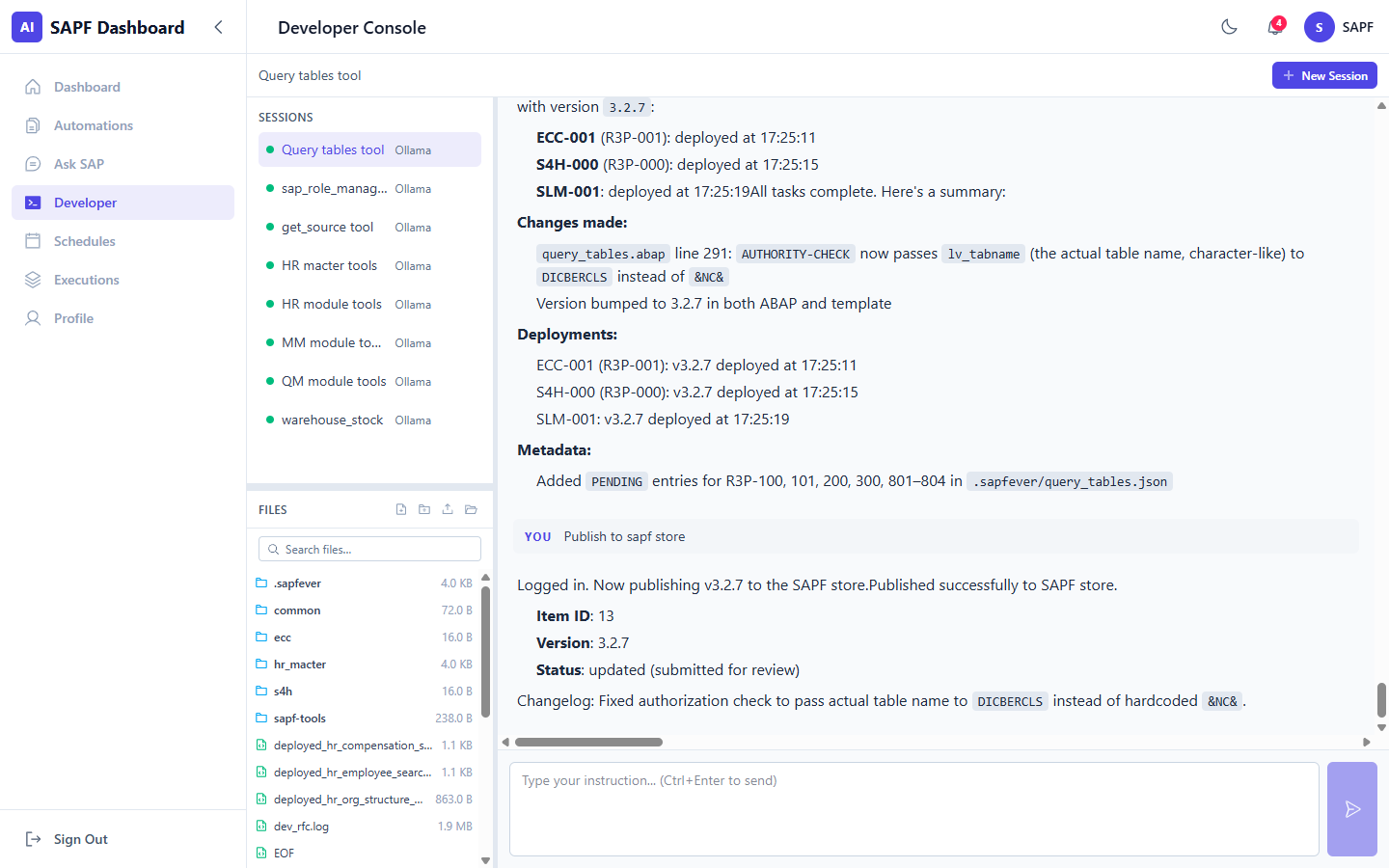
- ✓ Persistent AI sessions — pick up exactly where you left off, with full context intact across working sessions
- ✓ Use
get_source,inspect_object, andquery_tablesto understand any SAP object without opening SE80 - ✓ Once an admin registers a tool, it's immediately live in Ask SAP and Ask Report for every permitted user
Every role gets something different.
SAPF Dashboard isn't one tool used the same way by everyone. Finance teams self-serve reports. IT teams govern who can do what. Developers extend the platform. All from the same install.
Finance, Procurement, Operations, HR
Get answers from SAP without learning SAP.
- ✓ Ask for procurement aging, stock levels, open invoices, or headcount — in plain English, against live data
- ✓ Schedule any report to run daily, weekly, or monthly and land in your inbox automatically
- ✓ No SAP GUI access required, no transaction codes to memorise, no IT tickets to file
SAP Admins & IT
Full control over who can do what, and a complete record of everything that happens.
- ✓ Create, copy, lock, unlock, and extend SAP users; assign roles across multiple systems — from one admin panel
- ✓ Tool registry governs which AI-accessible tools each user can call, in which context
- ✓ LLM controls per user: which model, daily request caps, concurrency limits
SAP Developers & Consultants
Build, inspect, and deploy SAP tools faster than you can open SE80.
- ✓ Persistent Developer Console sessions — use
inspect_objectandget_sourceto understand unfamiliar objects instantly - ✓ Deploy a new tool to your whole organisation in minutes: build it, register it, it's live
- ✓
query_tableswith JOINs, aggregations, and WHERE clauses — write data access in a conversation, not a function module
See it working.
This is a real Ask SAP conversation. No mocked data, no scripted demo — this is what your procurement team would see on day one.
Ask a question in plain language
No SQL, no ABAP, no transaction codes. Just describe what you need.
AI connects to your live SAP system and runs the queries
Real data from your SAP system — not a sample database, not a demo environment.
Get a structured, shareable result — with tables, observations, and the option to schedule it
Follow up, refine, share with a colleague, or set it as a weekly report. All in the same conversation.
Found 12 open purchase orders matching your criteria in plant 1000.
| Vendor | PO Count | Total Value | Oldest PO | GR Date Passed |
|---|---|---|---|---|
| Müller Industrietechnik | 3 | €284,400 | 67 days ago | Yes — 2 POs |
| Riedel Komponenten GmbH | 2 | €171,000 | 52 days ago | No |
| TechParts Europe | 4 | €398,200 | 71 days ago | Yes — 3 POs |
| Steiner Logistik AG | 3 | €162,800 | 49 days ago | Yes — 1 PO |
Five purchase orders have passed their goods receipt date without a posting. Want me to email this list to procurement@company.com, or save it as a weekly scheduled report?
Also connect from any AI client.
The dashboard's /api/mcp endpoint connects Claude.ai, ChatGPT, and Copilot Studio directly to your SAP tools — via OAuth 2.1 or an API token. No install, no config files. Log in once and your SAP tools appear in every conversation.
- ✓Same SAP tool permissions and audit trail — web dashboard or any external client
- ✓OAuth 2.1 auto-discovery — ChatGPT and Claude.ai register tools automatically
- ✓Ollama support — run fully air-gapped with local LLMs, no data leaves your network
Built for organisations that can't afford mistakes.
Every feature that IT and compliance teams need before they say yes.
Self-hosted deployment
Runs on your infrastructure. SAP data never leaves your network.
Role-based access control
Admin, Developer, Business Key User, Business End User — granular per-user permissions.
SAML / SSO
Single sign-on via SAML. Local auth also supported for mixed environments.
Per-user tool permissions
Grant or revoke each SAP tool per user — Ask SAP, Ask Report, or both — from one admin screen.
LLM control
Choose which AI model each user can invoke. Ollama for fully air-gapped deployments.
Audit trail
Every query, every tool call, every user management change — logged with timestamp and attributed user.
Straightforward pricing. No modules, no surprises.
Annual subscription priced by team size. Every tier includes SAPF Dashboard, sapf-mcp-server, sapf-cli, one ABAP transport, and all AI providers — Claude, Gemini, and Ollama.
Starter
5 users
$2,400 / year
Full platform access. No feature restrictions.
Get startedProfessional
15 users
$6,000 / year
Up to 25 tools per user, 2 SAP system connections.
Get startedEnterprise
30+ users
from $12,000 / year
Unlimited tools, SSO (SAML + OIDC), SLA, dedicated account manager.
Contact usLess than a Microsoft 365 Copilot license ($30/user/month, no SAP) — and built specifically for SAP.